Configuring Rows
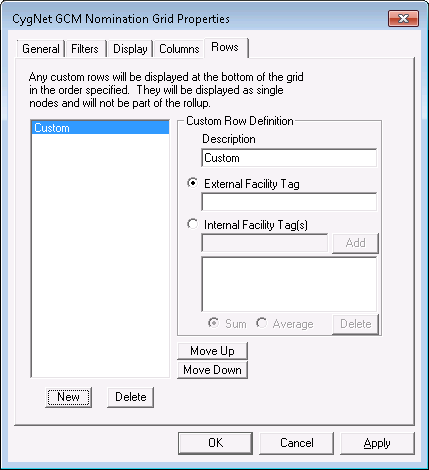
Use the Rows page to add specific rows to the bottom of the grid.
|
| Sample Rows Page |
Rows Properties
The following table lists and describes the fields found under the Rows page.
| Parameter | Description |
|---|---|
|
Description |
The description of the row. The default is Custom, but you can type any name you want into the Description field. |
|
External Facility Tag |
Select to display a facility tag not already in the hierarchy. Type the facility tag in the text box. |
|
Internal Facility Tag(s) |
Select t display an unlimited number of facility tags already in the hierarchy. Type the name of the facility tag and click Add. They will be summed together or averaged and displayed as a single row. Click Delete to remove a facility tag. |
|
Sum |
Select to sum values for a certain facility tag. |
|
Average |
Select to average values for a certain facility tag. |
|
New |
Use this button to add new custom rows to your grid. |
|
Delete |
Use this button to delete custom rows from your grid. |
|
Move Up |
Use this button to move rows up in your grid. |
|
Move Down |
Use this button to move rows down in your grid. |


